 TLCode
Write better tests with an AI coding agent: workflows, prompts and quality checks
Tests are the best safety net you can give an agent and the best check you can give yourself. This guide shows how to get an agent to write tests that actually fail when the code is wrong.
If you only adopt one habit when you work with an AI coding agent, make it this: let tests decide what is correct. An agent that can run your test suite has an objective answer to “did my change work?”, and so do you. Without tests, you and the agent are both guessing, and the agent guesses with great confidence.
Writing tests is also one of the best jobs to hand to an agent. Most developers find test writing necessary, repetitive and easy to postpone. Agents are good at reading existing code, listing cases and producing the scaffolding. The catch is that bad tests are worse than no tests, because they create false confidence. This guide explains how to direct an agent so the tests it writes are meaningful, with runnable examples in JavaScript and Python and a checklist you can apply to any generated test.
Why tests matter even more with an agent
- They define done. “Make these tests pass” is a clear instruction that an agent can verify by itself.
- They catch regressions in code you did not read closely. Agents change more files than you would by hand, and tests tell you what broke.
- They make big changes safe. Refactoring and migrations are only reasonable when behavior is pinned down by tests.
- They keep the agent honest. A summary that says “fixed” means little. A failing test turning green means a lot.
- They document behavior. A good test suite explains the intended behavior to the next person, human or model.
The kinds of tests worth asking for
Unit tests
Small, fast tests of a single function or class with controlled inputs. They are the best target for an agent because the specification is local. Ask for them whenever you add or change logic.
Integration tests
Tests that exercise several components together, such as an HTTP handler with its validation and a test database. They catch wiring errors that unit tests miss, and they take more care to write because they need realistic setup.
Regression tests
Tests that reproduce a specific bug and stay in the suite forever. Whenever you fix a bug, write the failing test first. An agent can do this well: “reproduce this bug in a failing test, then fix it.”
Property-based and fuzz tests
Instead of fixed examples, these generate many inputs and check properties, such as “parsing then serializing gives back the original”. They find edge cases people forget, and the scaffolding is boilerplate an agent can write.
Characterization tests
Tests that record what legacy code currently does, right or wrong, so you can change it safely. They are the first step of any legacy refactor, which we cover in refactoring legacy code with an AI agent.
A workflow that produces tests worth keeping
- Describe the behavior in plain words. Rules, inputs, outputs and error cases. This is the specification the tests will encode.
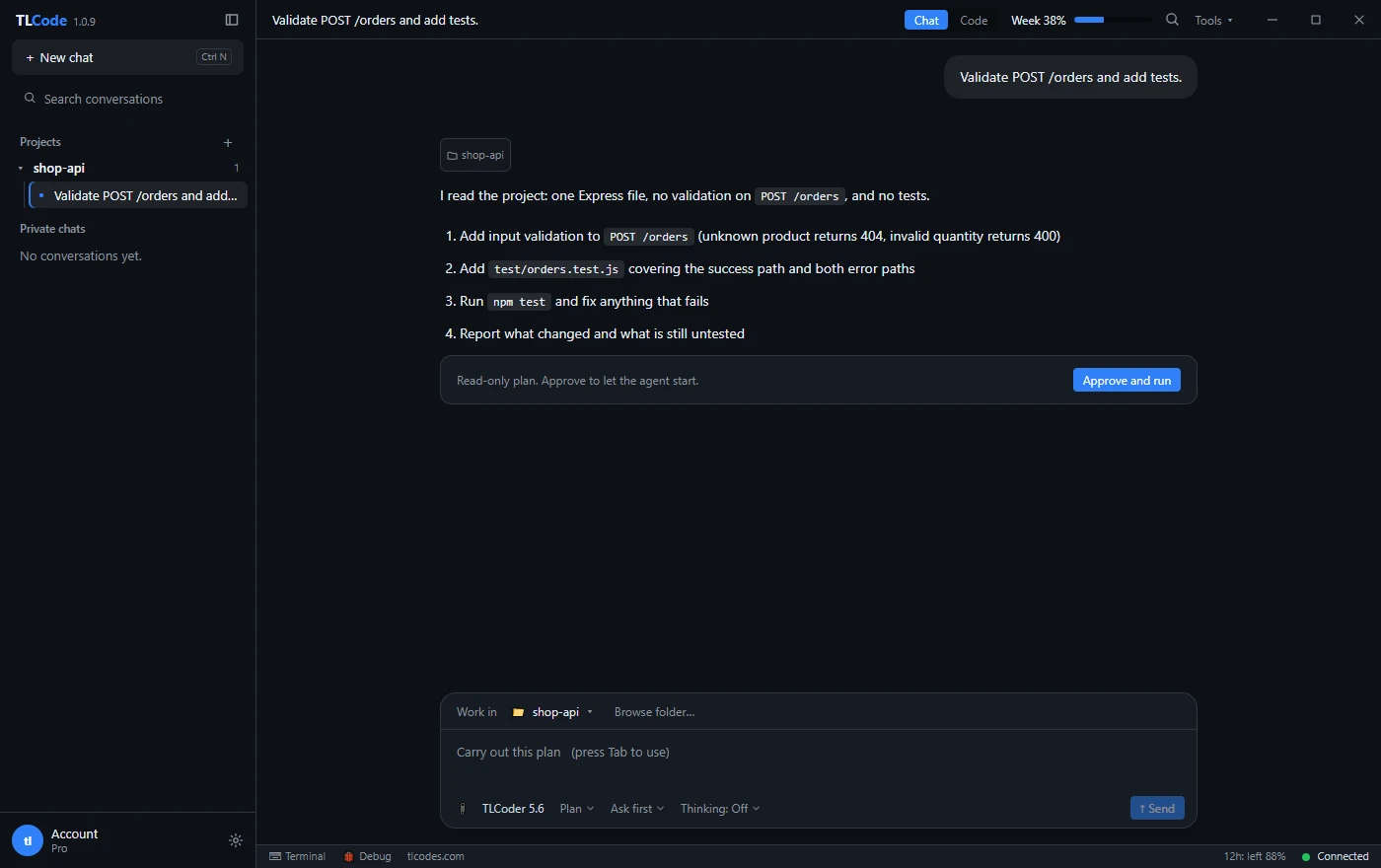
- Ask for a list of cases before any code. A case list is cheap to review and reveals misunderstandings early. In TLCode’s Plan mode the agent can list the cases without touching files.
- Write the tests first. Run them and confirm they fail for the right reason. A test that passes before the change exists is not testing it.
- Review the tests as carefully as the code. Read each assertion. Make sure it checks behavior you care about.
- Implement. Now ask the agent to make the tests pass, with the instruction not to change the tests unless it explains why.
- Refine. Add cases for anything you thought of during review, then run the whole suite.
A runnable example in Node.js
Take a small order service with one endpoint. You want to add validation and cover it with tests using only Node’s built-in test runner, so there is nothing to install. The service looks like this:
// src/orders.js
const products = [
  { id: 1, name: "Keyboard", priceCents: 4900 },
  { id: 2, name: "Mouse", priceCents: 2500 },
];

function createOrder({ productId, qty }) {
  const product = products.find((p) => p.id === productId);
  if (!product) return { status: 404, body: { error: "Unknown product" } };
  if (!Number.isInteger(qty) || qty < 1 || qty > 100)
    return { status: 400, body: { error: "qty must be an integer from 1 to 100" } };
  return { status: 200, body: { totalCents: product.priceCents * qty } };
}

module.exports = { createOrder };
Notice two things that make the code easy to test: the logic is a pure function with no HTTP or database, and prices are integer cents, which avoids floating-point rounding surprises. When you ask an agent to add tests, a good first step is to ask it to separate logic from plumbing like this if the code does not already.
A prompt that gets good tests:
Write tests for createOrder in src/orders.js using node:test and
node:assert/strict. Cover: a valid order, an unknown product, quantity
zero, negative, fractional, a string, undefined, the maximum (100) and one
above it. Assert both status and body. Put them in test/orders.test.js.
Do not modify src/orders.js. Run the tests and show me the output.
The result should look something like this:
// test/orders.test.js
const test = require("node:test");
const assert = require("node:assert/strict");
const { createOrder } = require("../src/orders");

test("valid order returns the total in cents", () => {
  assert.deepEqual(createOrder({ productId: 1, qty: 2 }),
    { status: 200, body: { totalCents: 9800 } });
});

test("unknown product returns 404", () => {
  assert.equal(createOrder({ productId: 999, qty: 1 }).status, 404);
});

for (const bad of [0, -1, 1.5, "2", undefined, 101]) {
  test("invalid quantity " + String(bad) + " returns 400", () => {
    assert.equal(createOrder({ productId: 1, qty: bad }).status, 400);
  });
}

test("maximum quantity is accepted", () => {
  assert.equal(createOrder({ productId: 2, qty: 100 }).body.totalCents, 250000);
});
Run it with node --test. Review it as you would any change. The loop over bad quantities is a good pattern, because adding a new bad case is one word. A reviewer might still ask: what about a product id sent as a string? Does the API intend to accept it? That question is a decision, not a test, and the review just surfaced it.
A runnable example in Python
The same ideas apply in any language. Here is a pytest version for a small pricing function, including a parametrized test and a property-based test with Hypothesis.
# pricing.py
def apply_discount(price_cents: int, percent: int) -> int:
    if price_cents < 0 or not (0 <= percent <= 100):
        raise ValueError("invalid input")
    return price_cents - (price_cents * percent) // 100
# test_pricing.py
import pytest
from hypothesis import given, strategies as st
from pricing import apply_discount
@pytest.mark.parametrize("price,percent,expected", [
(1000, 0, 1000), (1000, 10, 900), (1000, 100, 0), (999, 50, 500),
])
def test_known_values(price, percent, expected):
assert apply_discount(price, percent) == expected
@pytest.mark.parametrize("price,percent", [(-1, 10), (100, -1), (100, 101)])
def test_rejects_invalid(price, percent):
with pytest.raises(ValueError):
apply_discount(price, percent)
@given(st.integers(min_value=0, max_value=10**9), st.integers(0, 100))
def test_result_never_exceeds_price_and_is_never_negative(price, percent):
result = apply_discount(price, percent)
assert 0 <= result <= priceThe last test is a property: for every valid input, the result is between zero and the original price. Properties like this find boundary bugs that hand-picked examples miss. Asking an agent “suggest three properties this function should always satisfy and write tests for them” is a prompt that often earns its cost.
Going one level up: an HTTP integration test
Unit tests prove that the logic is right. An integration test proves that the pieces are wired together: the route exists, the body is parsed, the status code reaches the client. In Node you can test an Express app without extra libraries by starting it on a random port and calling it with the built-in fetch.
// test/http.test.js
const test = require("node:test");
const assert = require("node:assert/strict");
const app = require("../src/server");   // exports the Express app

let server, base;
test.before(async () => {
  await new Promise((resolve) => { server = app.listen(0, resolve); });
  base = "http://127.0.0.1:" + server.address().port;
});
test.after(() => server.close());

test("POST /orders returns 200 and a total for a valid order", async () => {
  const res = await fetch(base + "/orders", {
    method: "POST",
    headers: { "content-type": "application/json" },
    body: JSON.stringify({ productId: 1, qty: 2 }),
  });
  assert.equal(res.status, 200);
  assert.deepEqual(await res.json(), { totalCents: 9800 });
});

test("POST /orders with a bad quantity returns 400", async () => {
  const res = await fetch(base + "/orders", {
    method: "POST",
    headers: { "content-type": "application/json" },
    body: JSON.stringify({ productId: 1, qty: 0 }),
  });
  assert.equal(res.status, 400);
});
Three details make this test trustworthy. The server listens on port zero, so the operating system picks a free port and parallel test runs cannot collide. The server is closed after the tests, so the process exits. And the assertions check the actual HTTP response, so a missing route or a missing JSON parser would fail the test.
When you ask an agent for an integration test, give it these constraints explicitly: “start the app on a random port, close it afterward, do not depend on external services, and do not share state between tests.” Without them, agents often write tests that hard-code a port or leave the server running, which causes flaky runs.
Keep the pyramid in mind
Aim for many fast unit tests, fewer integration tests and a handful of end-to-end tests for the most important user flows. An agent that is not told otherwise tends to write the kind of test that is easiest for it, which is usually a unit test with many mocks. Ask for a deliberate mix, and review the balance.
Prompts that work for test writing
- Case list first: “List test cases for this function: normal, boundary, invalid, and any surprising behavior. Do not write code yet.”
- Behavior, not implementation: “Write tests that assert observable behavior and would still pass if the internals were rewritten.”
- Failing first: “Write the tests, run them and show that they fail for the right reason before changing any source code.”
- Regression test: “Here is a bug report. Reproduce it in a failing test, then fix the bug and show the test passing.”
- Gaps: “Look at this test file and this module. Which behaviors are not covered? List them, then add the three most important tests.”
- Constraints: “Use the existing test framework and style in this repository. Do not add dependencies.”
More general advice on instructions is in our guide to writing prompts for coding agents.
How to tell whether a generated test is any good
Bad tests are easy to produce and easy to miss. Apply these checks to every test an agent writes.
Does it fail when the code is wrong?
The most important check. Temporarily break the code (flip a comparison, remove a validation line) and confirm that the test fails. This is a manual form of mutation testing. If nothing fails, the test checks nothing.
Does it assert something meaningful?
Watch for tests that only assert that a function does not throw, or that a result is not null, or that mirror the implementation line by line. The assertion should state a rule the business cares about.
Is it testing the code or the mock?
Heavy mocking produces tests that verify the mock. Prefer real objects and small fakes. Mock only slow or external dependencies such as the network, and assert on the behavior you care about, not on how many times a helper was called.
Is it deterministic?
Flaky tests destroy trust. Look for dependence on the current time, random numbers, network calls, test order or shared state. Inject clocks and seeds, and clean up after each test.
Is it readable?
A test is documentation. Names should describe behavior (“rejects quantity above the maximum”), and each test should have one reason to fail.
Did the agent change the tests to make them pass?
Check the diff of existing tests. Changing a test is sometimes right, when requirements changed, but an agent under pressure to “make the suite green” may weaken or delete a test. Ask it to explain every modified assertion.
What coverage numbers can and cannot tell you
Coverage tools report which lines ran during the tests. That is useful for finding code nobody tests, and misleading as a measure of quality. A test can execute every line and assert nothing. If an agent is told “increase coverage to 90 percent”, it will happily comply with tests that call everything and check little.
- Use coverage to find untested areas, then decide what behavior in them matters.
- Prefer targets such as “every public function has tests for normal, boundary and error inputs” over a single percentage.
- Combine coverage with the break-it-and-see check above on important modules.
- Consider mutation testing tools, which automatically change your code and check that tests fail. They give a much more honest picture than line coverage.
Mocks, fakes and test data
Agents often reach for mocks because they are quick. Guide them toward simpler options.
- Prefer pure functions. If logic is separate from input and output, you need no doubles at all.
- Use in-memory fakes for databases and queues when behavior matters, such as a fake repository class that stores items in an array.
- Use real databases in integration tests where practical, such as a temporary SQLite file, and reset state between tests.
- Build test data with helpers. A
makeOrder({ qty: 2 })function with sensible defaults keeps tests short and focused. - Avoid sharing mutable fixtures. Each test should start from a known state.
- Never use real customer data. Generate realistic fake data instead.
Tests for code that has none
Legacy code is the hardest and most valuable place to add tests. Because the current behavior may be wrong but relied upon, start with characterization tests that record it. Ask the agent to run the function with many representative inputs, collect the outputs and write them into tests with a comment that they document current behavior. Then you can refactor with confidence, and fix bugs deliberately as separate changes.
- Choose a small seam, such as one function with clear inputs and outputs.
- Generate a set of inputs, including odd ones.
- Record outputs as expected values.
- Review them. If a recorded behavior is clearly a bug, mark it in a comment rather than silently fixing it.
- Refactor under the protection of these tests.
Habits for running tests with an agent
- Make the test command easy. A single
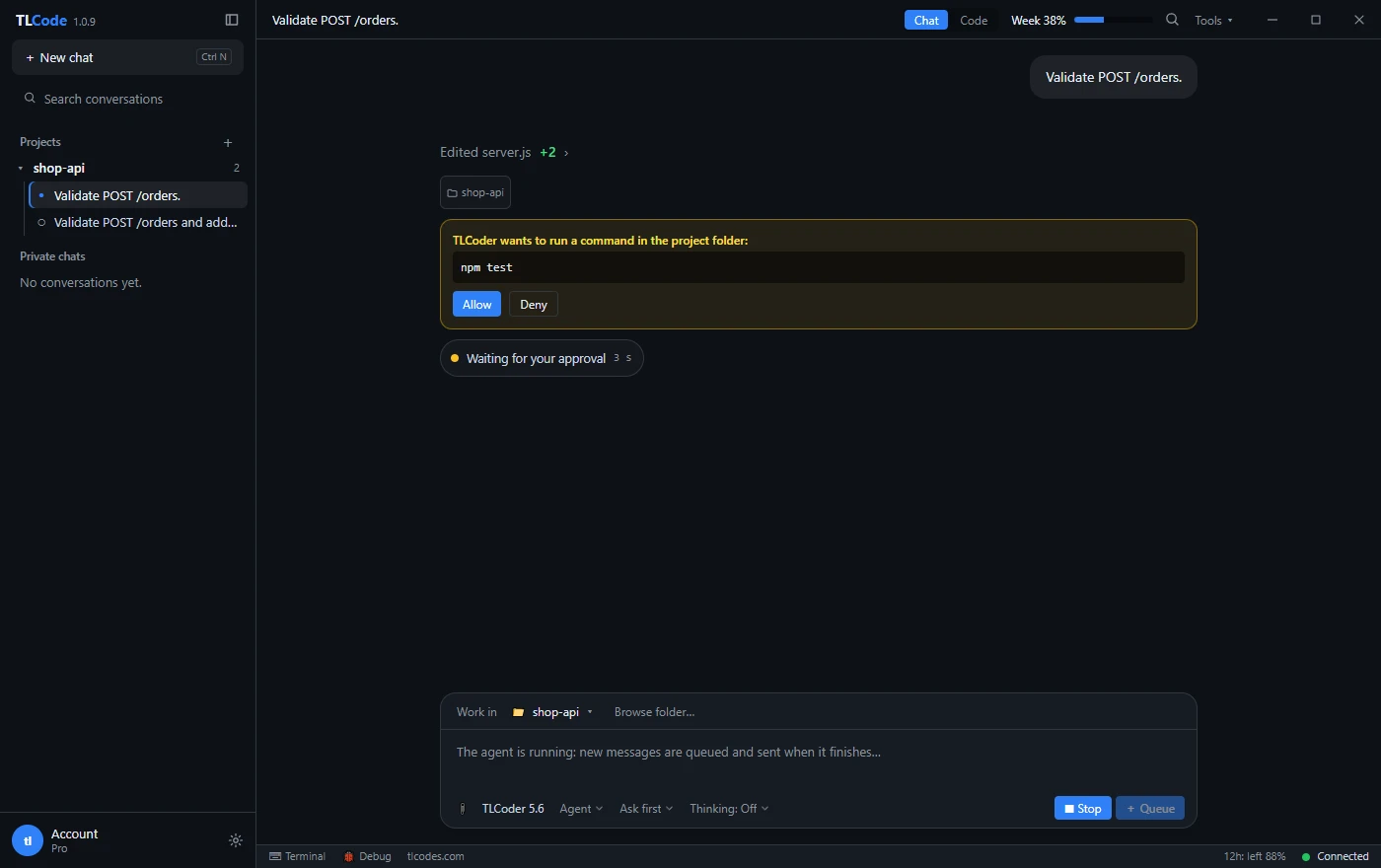
npm testorpytestthat works from the project root is what the agent will use. If the suite is slow, provide a fast subset. - Allow the test command. In TLCode you can add the command to your allow rules so it runs without asking each time, while commands you do not trust still wait for approval.
- Ask for the evidence. “Show the command and the last twenty lines of output.”
- Run the suite yourself before merging. The agent’s run is a claim. Yours is verification.
- Commit tests separately when practical, so the history shows what behavior each change added.
- Keep CI as the final gate. Everything above happens locally. CI catches environment differences.
Pitfalls to avoid
- Letting the agent write code and tests together without review. It will write tests that match its code, including its bugs. Write or approve tests from the specification first.
- Accepting tests that mirror the implementation. If a test repeats the same formula as the code, both will be wrong in the same way.
- Chasing 100 percent coverage. Diminishing returns set in, and tests for trivial code add maintenance cost.
- Testing private details. Tests coupled to internal names break on every refactor. Test public behavior.
- Ignoring slow tests. A suite that takes ten minutes stops being run. Split fast unit tests from slower integration tests.
- Skipping failing tests. Marking a test as skipped to get a green run hides a bug. Fix it or delete it deliberately.
Frequently asked questions
Should the agent write the tests or the code first?
Tests first whenever you can, from a clear description of the behavior. It forces the agent to commit to the specification before it has an implementation to rationalize.
Can I trust tests written by the same model that wrote the code?
Treat them as a draft. Review assertions, break the code to see them fail and add cases from your own knowledge of the domain.
How many tests should I ask for?
Enough to cover normal, boundary and error behavior for each public function, and a regression test for each bug. More is not better if the tests are redundant.
What if the project has no test framework?
Ask the agent to propose the simplest option for your language, such as Node’s built-in runner or pytest, and to add it with a single command. Review the dependency choice like any other.
Does this work for front-end code?
Yes. Component tests with a testing library, plus a handful of end-to-end tests for key flows, are a good balance. Browser tests are slower and more brittle, so keep them few.
Will writing tests use a lot of my allowance?
Test generation is usually cheaper than large feature work, because the scope is narrow. Keep requests focused and start a new conversation when you change topics. See how usage allowances work.
Summary
Let tests decide what is correct. Describe the behavior, agree on the cases, write failing tests first, review them as carefully as code, then let the agent implement until they pass. Judge tests by whether they fail when the code is wrong, not by coverage percentages. Prefer simple, deterministic tests with few mocks, characterize legacy code before changing it, and ask for evidence every time the agent says it ran something. With that discipline, an agent becomes a fast and tireless tester, and you get changes you can trust.