 TLCode
Refactoring legacy code with an AI agent: a safe, step-by-step guide
Legacy code is where an agent can save the most time and do the most damage. The way to get the first without the second is to pin down behavior with tests, move in small steps and keep every step reversible.
Every codebase older than a few years has a corner nobody wants to touch: a thousand-line function, a module with no tests, a class with a name that no longer describes what it does. People call it legacy code. Michael Feathers gave it a memorable definition in his book on the subject: legacy code is code without tests. That framing is useful, because it points at the actual problem. You cannot safely change code when you cannot tell whether you broke it.
AI coding agents are tempting here. They read quickly, they do not get bored of tangled code and they can make sweeping edits across many files in minutes. That is also the danger, since a sweeping edit to code without tests is a recipe for subtle regressions. This guide shows how to combine the speed of an agent with the discipline that keeps refactoring safe: build a safety net first, change in small steps, verify after each, and use version control and undo generously.
What refactoring is, and what it is not
Refactoring means changing the structure of code without changing its behavior. The behavior part is the whole point. If behavior changes, you are fixing a bug or adding a feature, and that should be a separate, deliberate change.
- Refactoring: renaming for clarity, extracting a function, splitting a module, removing duplication, simplifying conditionals.
- Not refactoring: fixing a bug, changing an output format, upgrading a library with behavior changes, rewriting from scratch.
Keeping the two apart is the most important habit. When an agent “cleans up” code and also fixes a bug it noticed, you can no longer tell which change caused a new failure. Ask for one kind of change at a time.
Where an agent helps, and where it does not
The agent is strongest at tasks that are tedious, repetitive and well defined. It is weakest at taste and judgment about what the system should become, because it does not know your product, your team or your future plans.
Step one: build a safety net
Before you change a line, make sure you can tell when behavior changes. In legacy code that means characterization tests: tests that record what the code does now, whether or not it is correct.
How to write characterization tests with an agent
- Pick a seam. Choose a function or module with clear inputs and outputs, ideally where you plan to make changes.
- Gather inputs. Real data from logs or fixtures is best. Include ordinary cases, edge cases and cases that look like bugs.
- Run the code and record outputs. Ask the agent to write a script that calls the function with each input and prints the result.
- Turn recordings into tests. Each input and output pair becomes an assertion, with a comment that it documents current behavior.
- Review for surprises. If a recorded output is clearly wrong, note it as a known bug rather than fixing it silently.
- Commit the tests before refactoring. They are your baseline.
Goal: characterization tests for calculateShipping() in src/legacy/shipping.js.
Do not modify the source. Call it with the inputs in test/fixtures/shipping.json
(and add 10 more edge cases: zero weight, huge weight, unknown country, null
address). Record the current outputs as expected values using node:test.
If any output looks like a bug, add a comment "KNOWN BUG" and keep the
recorded value so the test documents current behavior.
This prompt asks for tests without allowing source changes, which keeps the safety net honest. For more on testing with an agent, see writing tests with an AI coding agent.
When code is hard to test
Code that talks directly to the database, the file system or the network is hard to test. Create seams: small changes that let you substitute behavior without altering it. Common ones are passing a dependency as a parameter, wrapping a global call in a function you can replace and extracting a pure calculation from a function that also does input and output. Ask the agent to propose the smallest seam, and review that change with extra care, because it is the one place you must edit code before you have tests.
Step two: change in small, reversible steps
The cycle is simple. Its power comes from discipline.
- One kind of change per step. Rename, then extract, then move. Never combine.
- Run the tests after every step. If something fails, you know which step caused it.
- Commit after every green step. Commits are restore points you control.
- Keep diffs small enough to read. If you cannot review it, ask for a smaller step.
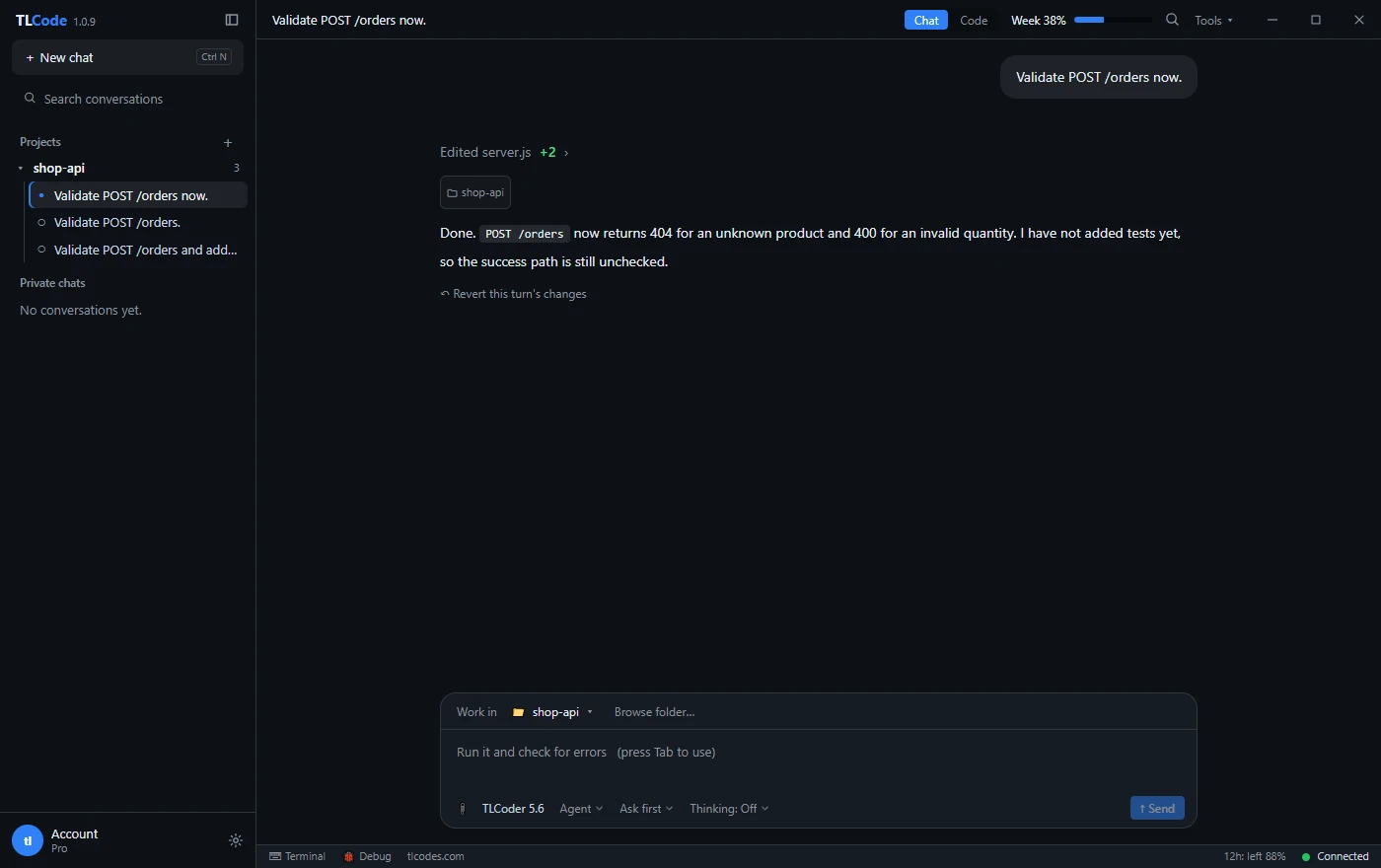
- Undo without guilt. In TLCode every agent turn has a restore point, and a single link reverts the files. Use it when a step goes wrong rather than patching around it.
Plan the refactor before you start it
For anything beyond a single function, ask the agent for a plan and review it. Good plans list ordered steps, each small enough to verify, and name the files involved. In TLCode, Plan mode lets the agent read the project and propose steps without editing, and larger jobs can be split into steps in a SPEC.md checklist you can review and edit.
A plan for splitting a large module might look like this:
- Add characterization tests for the public functions of billing.js.
- Extract pure pricing functions into pricing.js, re-exporting from billing.js so callers do not change.
- Extract tax logic into tax.js with the same re-export approach.
- Move invoice formatting to invoice.js.
- Update imports in callers one directory at a time.
- Remove the re-exports once no caller depends on them.
- Delete dead code identified along the way, in its own commit.
Notice the re-export trick in steps two and three. It lets you move code without touching every caller at once, which keeps each step small and safe. Our overview of the plan, build and undo workflow goes through the habit in detail.
A worked example: untangling a long function
Here is a deliberately ugly function that mixes validation, pricing and formatting. This is typical of code that grew by accretion.
function processOrder(o) {
  if (!o || !o.items || o.items.length == 0) return { error: "empty" };
  var t = 0;
  for (var i = 0; i < o.items.length; i++) {
    var p = o.items[i].price;
    var q = o.items[i].qty;
    if (q < 1) return { error: "bad qty" };
    t = t + p * q;
  }
  if (o.coupon == "SAVE10") t = t - t * 0.1;
  if (o.country == "DE") t = t + t * 0.19; else if (o.country == "FR") t = t + t * 0.2;
  return { total: Math.round(t * 100) / 100, text: "Total: " + t.toFixed(2) };
}
Step 1: characterize
Ask the agent to write tests for the current behavior, including odd cases: no items, quantity zero, unknown coupon, unknown country and prices with many decimals. Notice what the recorded behavior reveals. The returned total is rounded, but text uses the unrounded value formatted with toFixed, so the two can disagree. That is a bug, but for now it is current behavior, so mark it and keep it.
Step 2: extract validation
function validateOrder(o) {
  if (!o || !o.items || o.items.length === 0) return "empty";
  if (o.items.some((i) => i.qty < 1)) return "bad qty";
  return null;
}
Run the tests. They should all pass. Commit. Note a subtle trap here: the original returned from inside the loop on the first bad quantity, so the order of checks matters if more than one error exists. The characterization tests are what tell you whether that matters.
Step 3: extract the subtotal, discount and tax
Each becomes a small function with a clear name: subtotal(items), applyCoupon(total, coupon), addTax(total, country). After each extraction, run the tests and commit.
Step 4: compose
function processOrder(o) {
  const error = validateOrder(o);
  if (error) return { error };
  let total = subtotal(o.items);
  total = applyCoupon(total, o.coupon);
  total = addTax(total, o.country);
  return formatResult(total);
}
The function now reads like the description of the process. Behavior is unchanged, and every step was verified.
Step 5: fix the known bug separately
Only now, as its own change with its own test, decide how the rounding bug should be fixed. For money, prefer integer cents. A separate commit makes the bug fix visible and reversible.
An agent can do each step in a minute. Your job is to keep the steps small, run the tests and read the diffs.
Strategies for larger legacy systems
The strangler approach
Instead of rewriting a system in one go, build the replacement piece by piece around the old one. New behavior goes into new code, requests are routed to the new piece when it is ready, and the old piece shrinks until you can remove it. An agent can write the new pieces and the adapters. You control the routing and the verification.
The mikado method
When a change turns out to require ten other changes, write the goal on a page, try the change, note what broke, revert, and add the prerequisites as nodes underneath. Work from the leaves upward. Agents are good at the revert-and-explore part, because undo is cheap. A graph of prerequisites also makes a good plan to share with the team.
Branch by abstraction
Introduce an interface in front of the old implementation, move callers to it, then swap implementations behind it. It lets you ship while the migration is in progress.
Dead code removal
Ask the agent to find unused functions, unreachable branches and stale feature flags, listing evidence for each. Remove in small commits with the tests running. Version control remembers what you deleted, so removal is low risk when tests exist.
Modernizing languages, frameworks and dependencies
Upgrades are refactoring with extra risk, because behavior can change under you. The same discipline applies.
- Read the migration guide first. Ask the agent to summarize breaking changes and list the places in your code that they affect, with file references.
- Upgrade in the smallest possible increments. One major version at a time rather than three at once.
- Run the tests and the application after each increment.
- Keep behavior changes separate from syntax changes. Converting callbacks to async functions is structural. Changing how errors propagate is behavioral.
- Pin and record versions. A lockfile commit is part of the change.
For language-level migrations, such as moving JavaScript to TypeScript or Python 2 code to Python 3, agents are very effective at the mechanical conversion. Add types or syntax in small batches by directory, and let the compiler or the type checker find what you missed.
When you only have the binary
Sometimes the source is gone and you must understand a compiled program before you can replace it. That is reverse engineering rather than refactoring, and it carries legal and licensing questions. We cover the workflow and the limits in AI-assisted reverse engineering for code you are authorized to analyze. The outcome you want is a specification and tests, from which a clean implementation can be built.
Pitfalls that cause regressions
- Refactoring without tests. The biggest risk. Characterize first.
- Combining refactoring and features. It hides the cause of failures. Separate them.
- Large “cleanup” prompts. “Modernize this directory” invites a giant diff nobody can review. Ask for one transformation at a time.
- Trusting the agent’s claim of “no behavior change”. Verify with tests, not with prose.
- Letting the agent edit the tests it relies on. Tests that change with the code prove nothing. Review test diffs separately.
- Ignoring performance. A cleaner design can be slower. Measure on realistic data when speed matters.
- Forgetting configuration and side effects. Environment variables, scheduled jobs and database triggers are not visible in the function you are changing.
- Skipping the team. Large structural changes need agreement, and branches that live too long become painful to merge.
How to tell the refactor is working
Choose a few measures before you start and check them as you go.
- Tests: the characterization suite stays green throughout.
- Size and complexity: the longest function shrinks, nesting depth drops and duplication decreases.
- Change cost: the next feature touching this area takes less effort. This is the real goal.
- Defect rate: bugs in the refactored area decline over the following months.
- Review time: pull requests that touch it are quicker to understand.
If the measures do not improve, ask whether the work was worth it. Refactoring is a means to faster, safer change, not an end in itself.
Prompts that keep refactors safe
- Explain first: “Do not edit anything. Explain what this module does, list its public functions and their callers, and point out anything surprising.”
- Characterize: “Write characterization tests for these functions without changing the source. Mark anything that looks like a bug.”
- Single transformation: “Extract the tax calculation into its own function, with no other changes. Run the tests and show the summary.”
- Rename safely: “Rename OrderMgr to OrderService everywhere, including tests and documentation. List every file you touched and confirm that the build and tests pass.”
- Find duplication: “List near-duplicate blocks across src/. Propose a shared helper for the top three. Do not change anything yet.”
- Guard behavior: “Before you refactor this function, list its observable behaviors that the current tests do not cover, and add tests for them.”
- Prove sameness: “Show how you verified that the behavior is unchanged. If you could not verify something, say so.”
For more on structuring instructions, see how to write prompts for AI coding agents.
A realistic one-week plan for a small team
To make the process concrete, here is how a small team might tackle a tangled module of about two thousand lines over a week, using an agent for the mechanical work.
| Day | Focus | Outcome |
|---|---|---|
| Monday | Understand and characterize | Agent-written explanation reviewed by the team; first characterization tests committed; list of known bugs started |
| Tuesday | Seams and safety | Seams added for database and clock access; tests for the pure logic pass; baseline performance measured |
| Wednesday | Extract and rename | Five to ten small extractions, each with a commit; naming cleaned up in the touched areas |
| Thursday | Remove duplication and dead code | Shared helpers introduced; unused code removed in separate commits; tests green |
| Friday | Review, measure, document | Pull request reviewed by a human; performance compared with the baseline; short design note written; known bugs triaged into tickets |
The point of the plan is not the exact days. It is the pattern: understand, protect, change in small steps, clean up, then review and measure. The agent is present in every phase and in charge of none of them.
When not to refactor
Not every ugly module deserves attention. Refactoring has a cost, and the benefit appears only when the code is changed again. Consider leaving code alone when:
- It works and nobody needs to change it. Stable, ugly code in a corner nobody visits can stay ugly.
- It is about to be deleted or replaced. Do not polish what is scheduled to go away.
- You cannot verify behavior. If you cannot build a reasonable safety net, the risk may outweigh the gain. Consider isolating the code behind a boundary instead.
- The deadline is near. Make the smallest safe change now and schedule the cleanup.
- The business logic is not understood. Rewriting structure before you understand the rules can encode your misunderstanding.
A useful rule is the boy scout rule: leave the code a little better than you found it, in the area you are already changing. Combine it with an agent and the cost of each small improvement drops, but the same principle applies. Improve what you touch, verify it and move on.
Working as a team
Refactoring touches code other people are changing, so communication matters as much as technique.
- Announce the area you are changing. Avoid surprise conflicts in the same files.
- Keep branches short-lived. Merge small pieces often rather than one giant pull request at the end.
- Separate mechanical and meaningful changes. A pull request of pure renames can be reviewed quickly. One that mixes renames with logic changes cannot.
- Document decisions. Note in the pull request why a structure was chosen and what was deliberately left alone.
- Mark AI-assisted changes. A short note helps reviewers decide where to look closely.
- Share what the agent got wrong. Collecting examples of mistaken changes improves everyone’s prompts.
Frequently asked questions
Can an agent refactor a whole codebase on its own?
It can do large amounts of mechanical work, but it should not do it unsupervised. Without tests and review, large automated changes are risky. Work in small steps with tests, and keep a human on design decisions.
Should I rewrite instead of refactor?
Rewrites are tempting and often fail, because old code encodes years of edge cases. Prefer incremental approaches such as the strangler pattern unless the old system truly cannot be saved.
How do I handle code with no documentation?
Ask the agent to explain it, check the explanation against runs of the code, and write down what you learn as documentation and tests as you go.
What if the agent’s change breaks something I did not test?
Undo it, add a test that captures the missing behavior and try again. Each such failure improves your safety net.
Is it safe to paste proprietary legacy code into an assistant?
Check your license, your organization’s policy and the provider’s privacy policy. Keep secrets and customer data out of anything the agent can read.
How much allowance does a refactor use?
Many small, focused steps use less than a few giant runs that need rework. Start fresh conversations per step and review plans before long runs. See how usage allowances work.
Summary
Safe refactoring has three rules: pin down behavior with tests first, change one small thing at a time and keep every step reversible. An agent speeds up the mechanical parts, such as reading, renaming, extracting and updating call sites, while you keep design decisions and review. Separate refactoring from bug fixes and features, plan larger changes, commit often and use undo freely. Done that way, the part of the code everyone fears becomes the part everyone can change.