 TLCode
An unrestricted AI coding assistant, built into a real IDE
TLCode answers technical questions directly and then does the work: it reads your project, writes the code, runs the build and fixes what breaks. “Unrestricted” here means no pointless refusals, not “no rules”.
What “unrestricted” should mean for a coding assistant
Most developers who go looking for an unrestricted AI are not after anything exotic. They have been refused or lectured by an assistant while doing ordinary engineering: writing a port scanner for their own network, reading a disassembly, automating a login flow on a site they own, tuning a hot loop in unsafe code, or asking how a known vulnerability class works so they can defend against it. A half-answer wrapped in warnings costs time and teaches nothing.
TLCode’s model, Abliterated Large v2, is tuned for that situation. It treats security, low-level systems, reverse engineering of your own or authorized binaries, automation and performance work as normal engineering topics and answers them directly, with working code. There is no limit on language, framework or project size.
What it still will not do
Being unrestricted is not the same as being lawless. The Terms of Service prohibit using TLCode to create malware or ransomware, cheats for online games, software cracks, scam or account-takeover tools, to attack systems without authorization, to harm children, or for any other illegal activity. We may suspend keys or accounts, without refund, when we find or reasonably suspect abuse, and we cooperate with lawful requests from authorities. You are responsible for the code you ask for and for how you use it.
More than a chat box: an agent that finishes the job
TLCode is a Windows IDE with the agent built in. Give it one request and it works through four stages:
- Understand the project. It maps your folders, classes and key functions automatically.
- Plan. Big jobs are split into steps in a
SPEC.mdfile that you can review before anything is written. - Write and build. Every code change is followed by a build check, so errors are fixed at the step where they appear instead of piling up at the end.
- Report honestly. It says plainly what is done and what is still blocked.
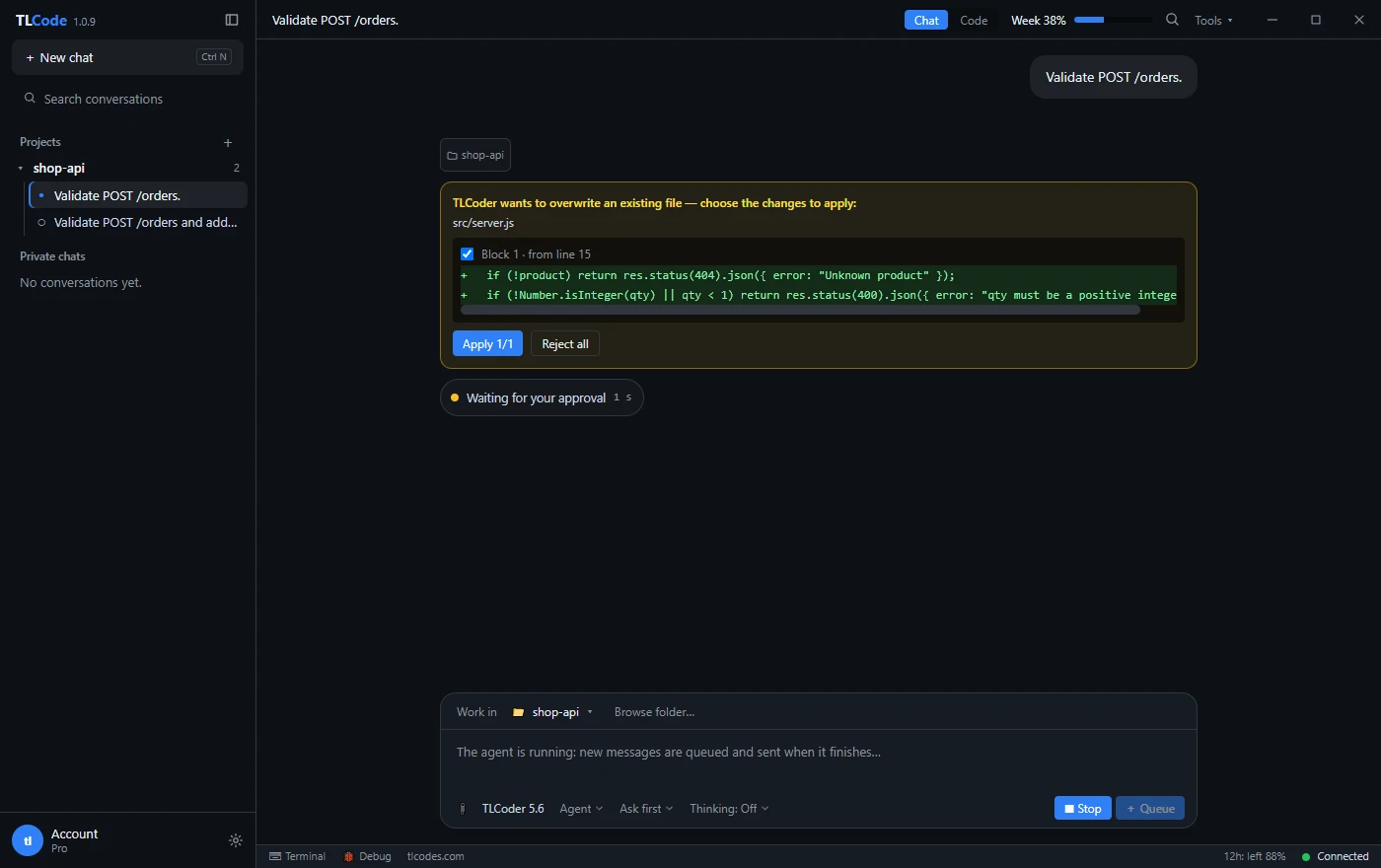
Around that loop you get the tools you would expect in a daily driver: Chat, Agent and Plan modes; a built-in terminal and Git; the option to approve each command or let the agent run on its own; MCP servers so the agent can use your own tools; and pasted error screenshots, whose text is read on your machine and handed to the agent.
Control and safety nets
Unrestricted answers are only useful if you can trust the changes. Every agent turn has its own restore point, so Undo puts the files back exactly as they were. Plan mode shows the steps without touching a file. Commands can require your approval one by one. Your project files stay on your computer; only the content a request needs, such as snippets and command output, is sent to the AI server, and it is not used to train models. See the privacy policy.
Who it is for
- Developers and security engineers who want direct technical answers without a lecture.
- Solo builders and small teams who want an agent that builds and tests, not only suggests.
- People who prefer a flat monthly price with clear allowances over a metered bill. Plans start at $10 per month and never renew automatically; see pricing.
Honest limits
- TLCode runs on 64-bit Windows 10 and 11 only. There is no macOS or Linux version today.
- The model runs on our servers, so you need an Internet connection.
- Each plan has a weekly and a 12-hour allowance that do not roll over. Heavy use on a small plan will hit them.
- Like every AI assistant, the agent can be wrong. Review its changes, use Undo, and run your own tests on anything important.
Want the long version? Read the developer guide to refusals, policies and real limits, or browse all guides. Comparing options? Read how TLCode differs from Cursor, Claude Code and GitHub Copilot, or browse the FAQ.