 TLCode
AI-assisted reverse engineering: a workflow for code you are authorized to analyze
Reading compiled code is a normal part of maintaining legacy systems, debugging closed libraries and analyzing threats. This guide shows where an AI assistant speeds that work up, how to keep the process organized, and where the legal and ethical limits sit.
Most software that runs the world is older than the people maintaining it. Source code gets lost, vendors disappear, build systems rot, and one day a critical program keeps working only because nobody dares to touch it. Reverse engineering, the practice of working out how a compiled program behaves by examining it, is how engineers get out of that corner. It is also how defenders understand malware, how interoperability projects document file formats, and how developers find out why a closed-source library crashes their application.
It is also a topic where AI assistants are inconsistent. Some refuse any mention of disassembly. Others will cheerfully explain anything, including how to strip license checks. This guide takes a middle, professional position: reverse engineering is legitimate work when you are authorized and have a lawful purpose, and an assistant is a very good reading companion for it. We describe a workflow, give example prompts, and spell out the lines you should not cross. We do not cover bypassing copy protection or licensing, and we do not provide guidance for building attack tools.
Legitimate reasons to read compiled code
Intent matters, and so does authorization. These are the situations where engineers routinely analyze binaries:
- Maintaining legacy software you are entitled to maintain. The source is gone but you own or license the program and need to fix a bug, port it or document it.
- Debugging third-party libraries. A closed-source dependency crashes your application and the vendor cannot help quickly. You need to know what it does at the crash site.
- Interoperability. Documenting a file format or protocol so that your software can work with another product. Some jurisdictions explicitly allow limited analysis for this purpose.
- Defensive malware analysis. Security teams analyze suspicious samples in isolated environments to write detections and understand incidents.
- Verifying your own build. Checking that a compiled artifact matches what you meant to ship, or investigating compiler behavior for performance or security reasons.
- Education and competitions. Crackmes and capture-the-flag challenges designed to be reversed.
- Vulnerability research with permission. Analysis of products under a bug bounty or testing agreement that allows it.
What these have in common is a defined purpose and a right to do the work. What they do not include is removing license checks, cracking digital rights management, stealing credentials from software, or analyzing something with the aim of harming its users.
Before you start: a short authorization checklist
- Who owns the software, and what does your license say? Many licenses restrict reverse engineering. Some laws override such clauses for specific purposes. Read the text.
- What is the purpose? Write it in one sentence. “Document the file format so our importer can read it” is a clear purpose. “See if I can get around the license” is not a purpose this guide supports.
- Where will the sample run? For anything untrusted, use an isolated virtual machine with no route to your network and a snapshot to roll back.
- What will you share and where? If you plan to paste disassembly or strings into a hosted assistant, check that the license and your employer’s policies allow it. Proprietary code is sometimes protected by confidentiality terms.
- How will you record the work? Keep notes of what you did and why, in case you must explain it to a colleague, a vendor or a lawyer later.
Stage 1: triage without running anything
Good analysts learn a lot before they open a disassembler, and none of the following requires executing the file.
Identify the file
On Windows, tools such as file (available through Git for Windows or WSL), PE viewers and hash utilities tell you the type, the architecture and a fingerprint. Record the SHA-256 hash first, because it identifies the exact sample in your notes and lets you look it up in reputation services if the sample is a suspected threat.
Read the strings and imports
Printable strings often reveal error messages, file paths, URLs and library names. The import table shows which operating-system functions the program calls, which says a great deal about what it can do: network access, file operations, registry changes, cryptography. Paste the interesting parts, not the whole dump, into your assistant and ask what the combination suggests.
Context: Windows x64 DLL from a vendor library we are licensed to use. It
crashes in our application. Here are the imported functions and 30 strings
that look relevant (below). What does this library probably do, and which
imports would be involved in reading a configuration file?
Look at the metadata
Version resources, compiler artifacts and embedded debug paths tell you who built the file and with what toolchain. That helps you find documentation and matching symbols, and sometimes the vendor’s public bug tracker.
Stage 2: reading disassembly and decompiled code
Here an assistant becomes a tireless explainer. Tools like Ghidra (a free, open-source framework) and commercial tools such as IDA or Binary Ninja turn machine code into assembly and an approximate C-like view. That decompiled view is readable but unnamed, full of variables like local_28 and calls to FUN_00401a30.
Ask for explanations at the right size
Paste one function at a time, with enough context for the assistant to understand it: calling convention, what you know about the arguments, and what you want to learn.
This is decompiled output from Ghidra for an x64 Windows function. I
believe the first argument is a pointer to a config structure. Explain
step by step what the function does, suggest meaningful names for the
local variables, and point out anything that looks like a bounds check or
the lack of one.
The assistant will usually respond with a plain-language walk-through and a renamed version. Treat the names as hypotheses. You confirm them by finding how other functions use the same data.
Reconstruct data structures
Much of reverse engineering is recovering structs. Show the assistant several functions that access the same memory at various offsets, and ask for a proposed layout. A proposed definition looks like this:
struct Config {          // inferred, size 0x40
    uint32_t magic;      // +0x00, compared to 0x43464731 ("CFG1")
    uint32_t version;    // +0x04
    char     name[32];   // +0x08, copied with a fixed length
    uint8_t *data;       // +0x28
    size_t   data_len;   // +0x30
};
Apply the struct in your analysis tool and check whether the decompiled code becomes more readable. If it does, your guess is probably close.
Recognize common patterns
Assistants are good at spotting standard library routines, typical loops and well-known algorithms. Asking “does this look like a known hash or compression routine?” can save hours, but verify the claim by testing with known inputs. Models can recognize patterns that are not there.
Stage 3: automate the boring parts
Reverse engineering involves repetitive chores: renaming hundreds of functions, applying a struct to every call site, extracting constants into a table. Ghidra supports scripting in Java and Python, and the assistant can write scripts quickly.
- Batch renaming. Ask for a script that names functions based on a string they reference, such as functions that mention “error opening file” becoming
log_file_open_error. - Exporting. Generate a CSV of functions, addresses and your notes for a report.
- Pattern search. Write a script that finds all calls to a specific import and lists the surrounding code.
- Diffing versions. When a vendor ships a patch, a script can highlight functions that changed, which is a time-honored way to understand a fix.
Keep scripts in version control with a short README. Run them on a copy of your analysis database, not your only copy, and review every script before running it, as you would any code you did not write.
Stage 4: write down what you learned
The result of a good analysis is documentation that outlives your memory. An assistant is excellent at turning your scattered notes into something readable.
- A one-page overview. What the program does, its main components and the data flow between them.
- A function table. Address, new name, purpose, confidence level.
- Structure definitions. Commented, with offsets and how each field was inferred.
- Protocol or format notes. Message layouts, magic values, version differences, with example bytes from your own test files.
- Open questions. What you do not know yet, so the next person does not assume it is settled.
If your goal is to replace the old program, the best output is often a clean-room specification plus tests, which the assistant can help you turn into a modern implementation. See refactoring legacy code with an AI agent for how to do the port safely.
A worked example: documenting an undocumented file format
Suppose your company relies on a data file produced by an old in-house program. You have the right to read your own data, the vendor is gone, and you need an importer for your new system. This is a classic interoperability task. Here is how the work might go, with an assistant helping at each step.
Collect samples, not guesses
Gather several real files of different sizes and from different times. Variation is what lets you separate structure from content: a field that changes with every file is data, and a value that never changes is probably a magic number or a version.
Look at the bytes first
Open two files in a hex editor and compare. Suppose both begin with the same eight bytes and the next four bytes are a little-endian number that equals the file size minus 12. You have found a header and a length field without reading any code.
00000000: 43 46 47 31 02 00 00 00  3c 00 00 00 73 68 6f 70   CFG1....<...shop
00000010: 2d 61 70 69 00 00 00 00  00 00 00 00 00 00 00 00   -api............
00000020: 00 00 00 00 00 00 00 00  00 00 00 00 f4 01 00 00   ................
Show the assistant a few such dumps together with what you know about the content, for example “the file stores one product name and a price list.” Ask for hypotheses about the layout and, importantly, for a way to test each one. A good answer reads like a plan: “bytes 0-3 are the ASCII string CFG1, bytes 4-7 look like a version, bytes 8-11 look like a length; test by checking whether the length matches in all samples.”
Write a parser and let the tests decide
Turn each hypothesis into code and tests that run against every sample file. If a hypothesis fails on one file, you learn something precise.
import struct

def parse_header(data: bytes):
    magic, version, length = struct.unpack_from("<4sII", data, 0)
    if magic != b"CFG1":
        raise ValueError("not a CFG1 file")
    if length != len(data) - 12:
        raise ValueError("length field does not match file size")
    return {"version": version, "length": length}
Use the program as an oracle when allowed
If you may run the original program, generate files with known contents, such as one with a single product and one with two, and compare the bytes. Changing one input at a time is the fastest way to map fields. This approach observes behavior rather than reading proprietary code, and many practitioners prefer it for interoperability work.
Capture what you learn
Write a specification as you go, listing each field, its type, its offset and the evidence. When the importer reads all your samples correctly, ask the assistant to review the specification for ambiguities and to propose extra tests for edge cases such as empty files, maximum lengths and unknown versions.
Clean-room thinking: keep analysis and implementation separate
When you reimplement functionality rather than just document it, a long-established good practice is to separate the people or phases involved. One side studies the original and writes a specification of its behavior. The other side implements from the specification without looking at the original code. The purpose is to avoid copying protected expression and to be able to show that you did not.
- Write behavior, not code. Describe inputs, outputs and rules in plain language and tables.
- Hand over only the specification. The person or session building the new version works from that document and test files.
- Keep records. Dated notes show how the specification was derived.
- Be careful with assistants. If you paste proprietary decompiled code into a session and then ask for a new implementation in the same conversation, you have blurred the line. Use separate sessions or projects for analysis and for implementation, and give the second only your specification.
Whether a clean-room approach is required depends on your situation and local law, and some organizations insist on it by policy. It is cheap insurance, and it also produces better documentation.
Ethics: the questions to ask yourself
Most mistakes in this field are not technical. They come from drifting past the original purpose. A few honest questions keep you on track:
- Would the owner of this software or data be comfortable with what I am doing if I explained it?
- Am I accessing only what I need for the stated purpose?
- If I find a vulnerability, will I report it responsibly instead of exploiting or publishing it carelessly?
- Could my output be used to harm users, and if so, what am I doing to reduce that risk?
- Could I defend this work to a lawyer, a vendor and my own conscience?
If the answer to any of these is uncomfortable, pause and reconsider. A good assistant helps you do the work well; it cannot make an unauthorized project authorized.
A note on analyzing malware safely
Defenders analyze malicious samples to write detections and understand incidents. If that is your job, the same workflow applies, with extra precautions.
- Never run unknown samples on a machine that matters. Use a disposable virtual machine with networking disabled or tightly controlled, and snapshots.
- Prefer static analysis first. Strings, imports and decompiled code answer many questions without execution.
- Treat documents and scripts as hostile. Do not open them in your normal environment.
- Defang indicators. When you share URLs and addresses, write them so they cannot be clicked accidentally.
- Do not give an AI assistant a live, working sample and ask it to improve it. Analyzing how a sample works to defend against it is research. Making it more capable or evasive is building malware, which no responsible provider supports.
Our overview of AI for security research covers scoping, reporting and responsible disclosure in more detail.
Common pitfalls
Trusting a confident explanation
The assistant may explain a function fluently and be wrong about a crucial detail, such as the meaning of a flag or the size of a buffer. Cross-check against how other functions use the same value and against test runs.
Pasting too much
Huge dumps dilute the question and may exceed context limits. Share one function and the immediate context, and build up from there.
Ignoring calling conventions and compiler effects
Optimizers inline, reorder and merge code. The decompiler’s output is an approximation, and mistakes in the tool can mislead both you and the assistant. When something looks impossible, look at the assembly.
Mixing authorization with curiosity
It is easy to drift from “fix our crash” to “see what else it does.” If you move beyond your stated purpose, stop and check whether you are still authorized.
Leaving no trail
Without notes, you will repeat work and cannot show what you did. Keep an analysis log: hash, tool versions, steps, and findings.
Setting up a Windows analysis environment
A reasonable starting kit costs nothing.
- Ghidra for disassembly, decompilation and scripting. It needs a recent Java runtime.
- A hex editor and a PE viewer for structure and resources.
- A debugger such as x64dbg for stepping through code, on samples you are allowed to run, inside an isolated virtual machine.
- Git for your scripts and notes.
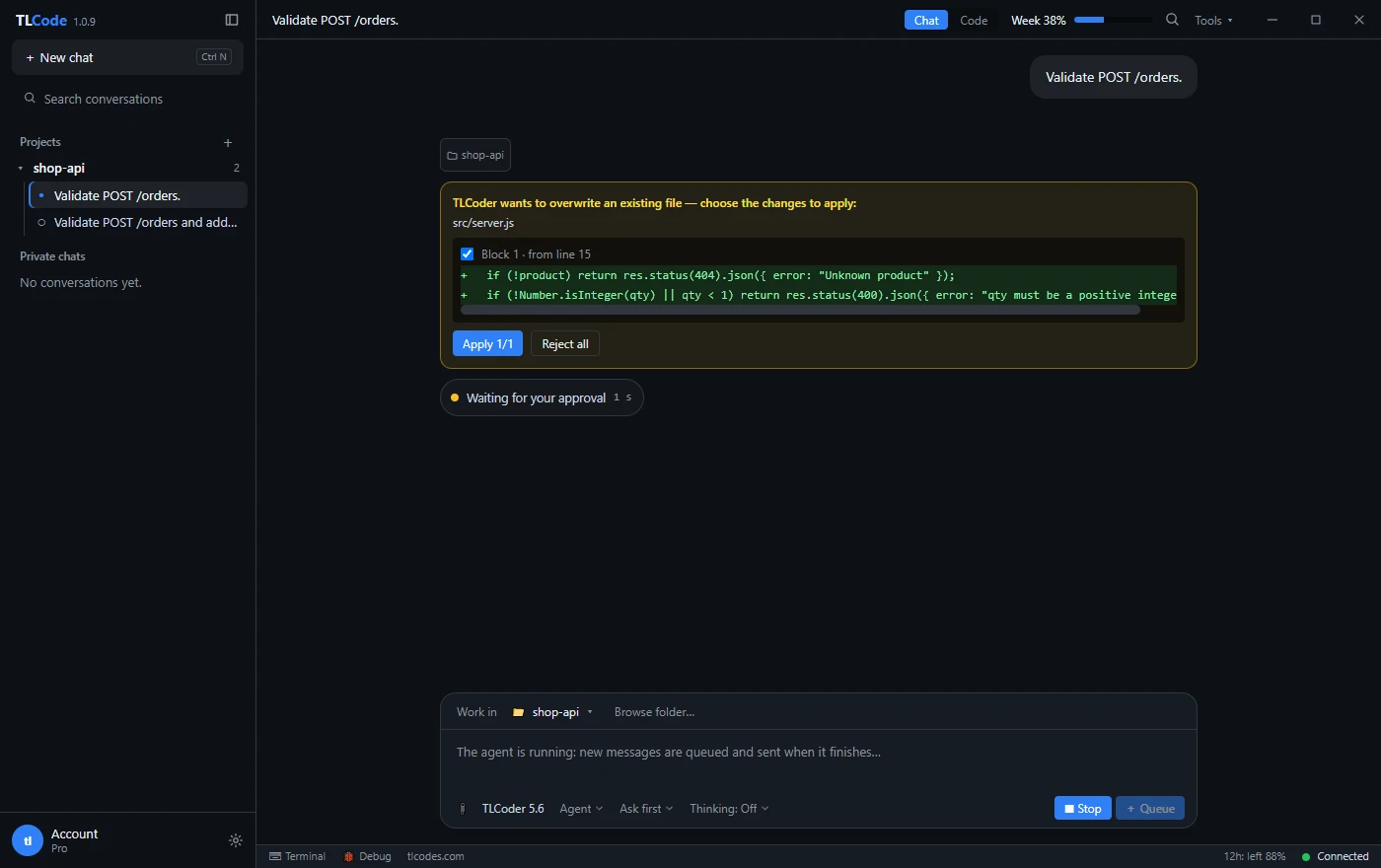
- An AI coding agent for scripts, documentation and explanations. In TLCode you can open your notes and script folder as a project, use Plan mode to propose steps first, review each file change as a diff and undo a turn that goes wrong.
Keep analysis projects separate from your day-to-day work, and keep sample files out of the folder the agent can see unless you need them there. Tools that read a project folder should only be pointed at folders you are comfortable with them reading.
Frequently asked questions
Is reverse engineering legal?
It depends on your country, your purpose and the license you accepted. Many jurisdictions allow analysis for interoperability or security research under conditions, and others restrict it. Always read the license and seek legal advice when the situation matters.
Can an AI assistant decompile a program for me?
No. Decompilation is done by tools such as Ghidra. The assistant helps you read, rename, document and script around the result.
Will an assistant help me remove a license check?
This guide does not support that, and a responsible provider will not either. Circumventing licensing or copy protection is outside legitimate analysis.
Is it safe to paste disassembly into a hosted assistant?
Only if your license and your organization’s policies allow sharing that material. Prompts leave your machine, so check the provider’s privacy policy and avoid sharing secrets or third-party confidential code.
How accurate are AI explanations of assembly?
Often good for common patterns and small functions, and unreliable for subtle details. Verify with tests, a debugger and cross-references before you rely on a conclusion.
What is the best first project?
A small crackme or training binary designed to be solved, or a simple program you compiled yourself with and without optimizations. You know the answer, so you can judge how helpful the assistant really is.
Summary
Reverse engineering is a legitimate and valuable skill when you have the right to do it and a clear purpose. Start with authorization, triage without running anything, read one function at a time with an assistant as explainer, automate chores with scripts, and document what you learn. Keep the human in charge of verification, never use an assistant to circumvent licensing or to improve malware, and keep a log. Done that way, the combination of a disassembler and a patient AI collaborator turns days of guessing into hours of understanding.