 TLCode
A safer workflow for AI coding agents: plan, build, undo
An agent that edits dozens of files is powerful and easy to lose track of. This workflow keeps the changes small, checked and reversible. It uses TLCode’s features, but the habits apply to any agent.
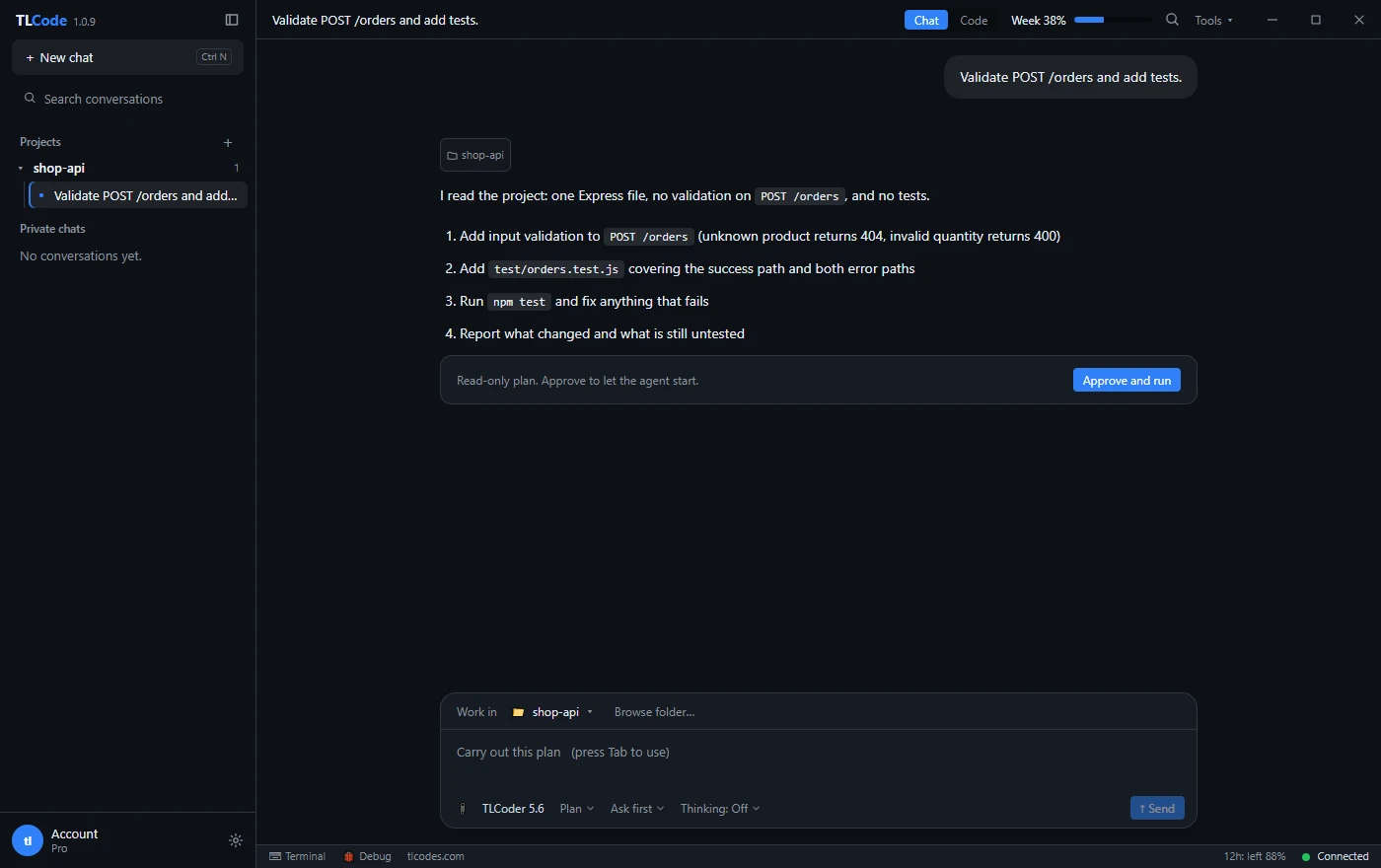
1. Make the agent plan before it writes
For anything bigger than a small edit, start in Plan mode. The agent reads the project and lays out the steps without touching a file; larger jobs are written to a SPEC.md checklist. Read it the way you would read a pull request description: Is the scope right? Is anything missing? Are the steps in a sensible order? Fixing a plan costs seconds, fixing a wrong implementation costs an afternoon.
2. Let every change be build-checked
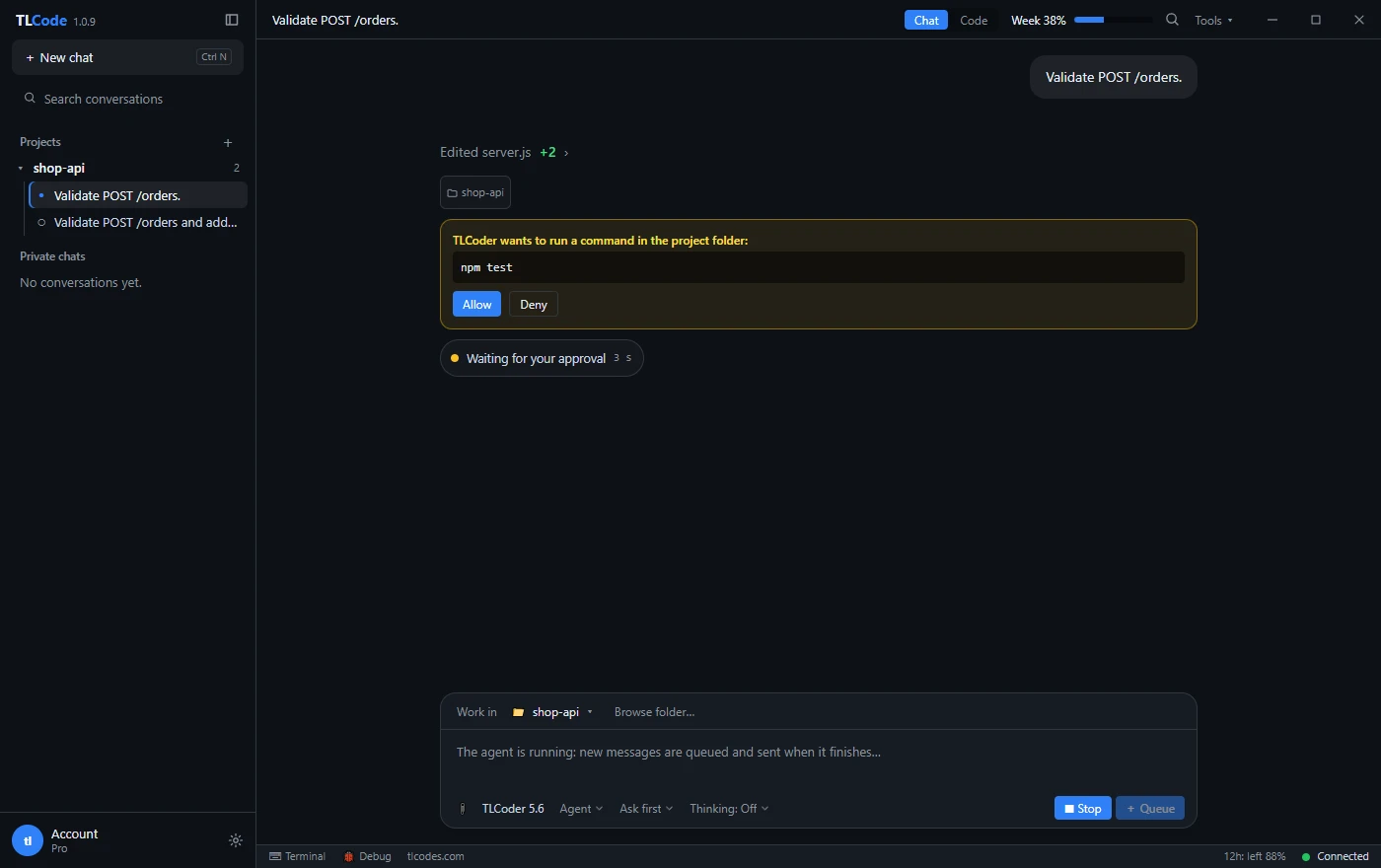
TLCode’s agent runs a build after each code change and fixes errors at the step where they appear. That keeps a failure attributable to one step. If you drive another tool, replicate the habit: ask for a build or test run after each step, not only at the end.
3. Decide how much to trust it
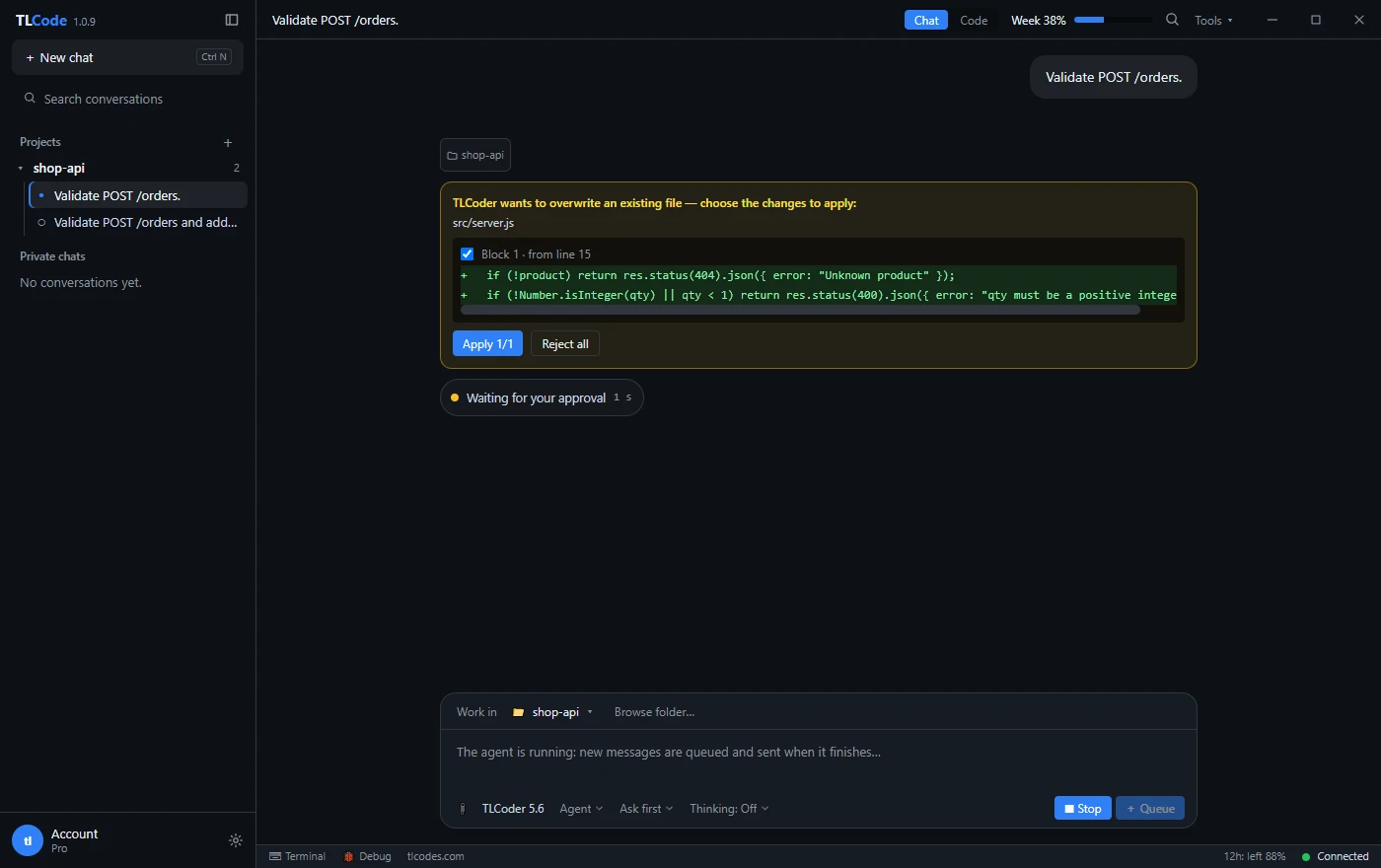
You can approve each command yourself, or let the agent run on its own. A reasonable default: approve commands on a project you do not know well or anything that touches the network, files outside the project or system settings, and let the agent run freely inside a scratch branch or a throwaway folder.
4. Work on a branch and review the diff
Use the built-in Git panel to keep agent work on its own branch. Review the diff before you commit, exactly as you would review a colleague’s change. Agents are good at plausible code, which is not the same as correct code, so read what changed and run your own tests on anything that matters.
5. Use Undo instead of arguing
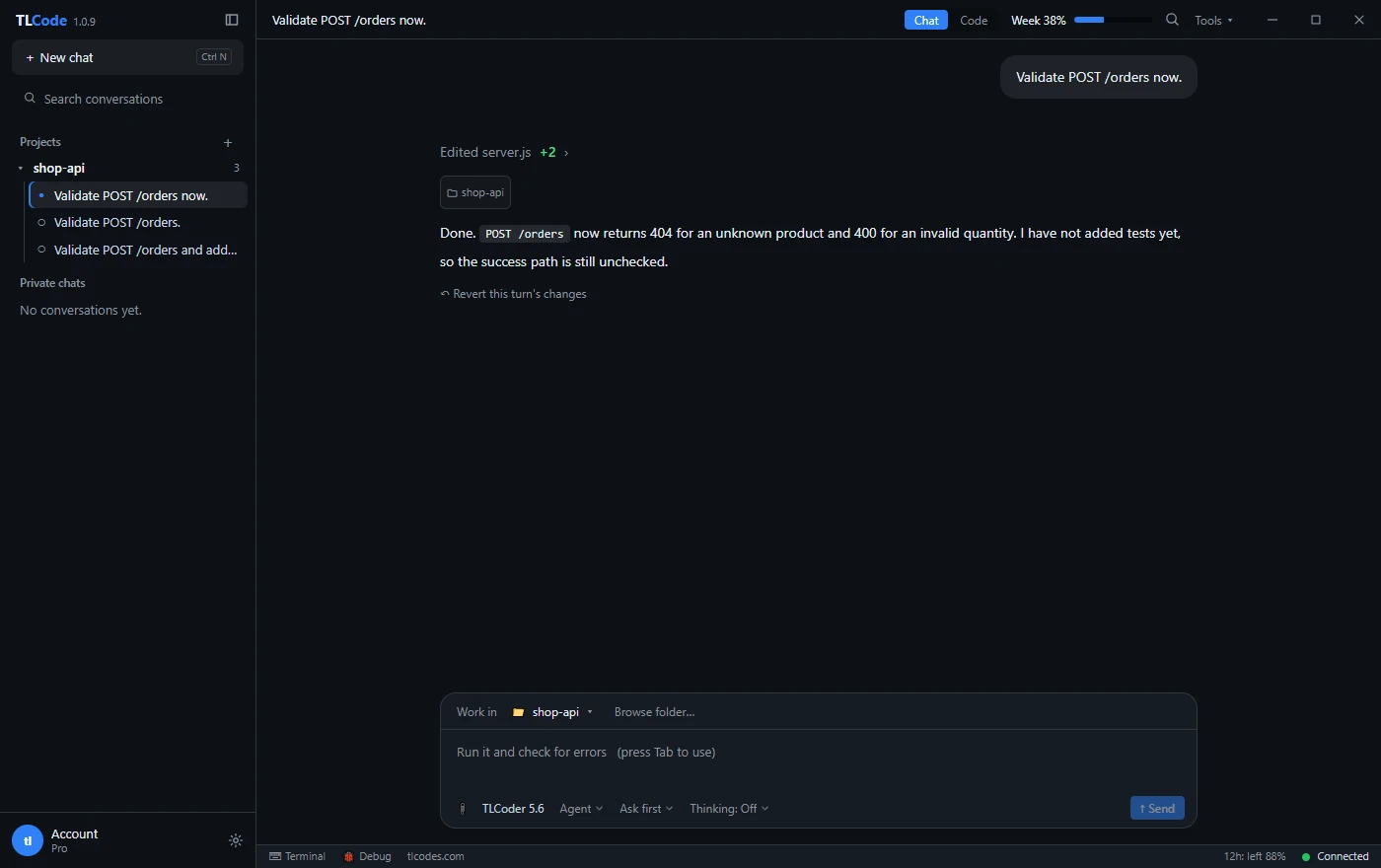
Every agent turn in TLCode has its own restore point. If a turn went the wrong way, press Undo and the files return to how they were before it. Then give a sharper instruction rather than asking the agent to patch its own detour.
6. Keep secrets out of the chat
Only the content a request needs is sent to the AI server, but that includes anything you paste. Do not put passwords or secret keys in the conversation, and keep them in environment variables or a secrets manager.
A short checklist
- Plan first for any change that spans several files.
- One step, then a build or test run.
- Agent work on its own Git branch.
- Read the diff before committing.
- Undo and re-prompt instead of patching a wrong turn.
TLCode includes all of this in every plan. See what TLCode does or download it.